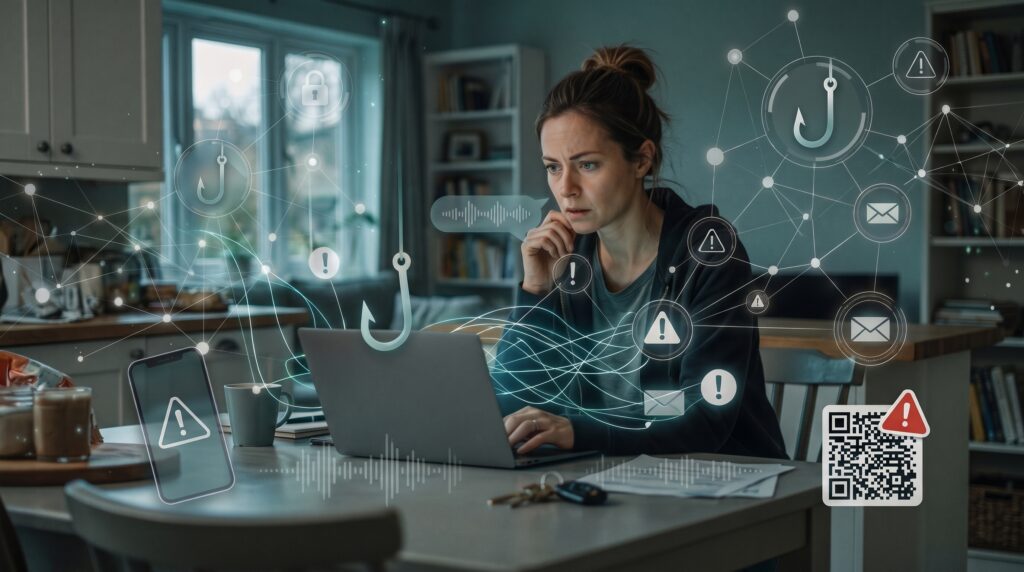
Most phishing advice still tells you to watch out for broken English, glaring typos, and suspicious requests from foreign royalty. That advice is officially obsolete.
Generative AI has eliminated the classic warning signs. Today’s scammers can generate immaculate prose, mimic your company’s internal communications, and even clone the voices of people you talk to every week.
Here is what the modern scam landscape actually looks like—and the simple habits that keep you protected.
1. Email Phishing: The Death of the Obvious Typo
We used to rely on awkward phrasing and mangled grammar to spot malicious emails. Language models stripped that defense away overnight.
Scammers can now prompt an AI tool to write polished, perfectly formatted emails posing as your bank, HR department, or cloud storage provider. Because the writing is clean, spam filters have a harder time catching them, and your gut instinct won’t flag them as suspicious.
- Look past the sender name: Anyone can set their display name to “PayPal Support.” Check the actual address after the
@symbol. If it’s a random string of letters or a generic email domain, send it straight to the trash. - Hover before you click: On desktop, hover your mouse over any button or link to see the true destination URL. On mobile, press and hold the link to preview the actual address before opening it.
- Bypass the email entirely: If an email claims your account is frozen or a bill is past due, close the email. Open your browser, head directly to the company’s official website, and check your dashboard there.
2. Smishing: Urgency Delivered Straight to Your Pocket
Text message scams thrive on quick reactions. Scammers send messages about fake package delays, unexpected bank security alerts, or toll road fees knowing most people read texts within minutes.
While spoofing numbers is an old telecom trick, AI helps scammers generate endless variations of casual, conversational text messages that slip past automated carrier spam blocks.
- Never tap text links: Real couriers and banks don’t expect you to handle sensitive account updates through a random shortlink.
- Treat random shortcodes with skepticism: If a text claims to be your bank warning you of fraud, do not reply “YES” or “NO.” Call the customer service number printed on the physical back of your card.
3. QR Codes (“Quishing”): Blind Clicking in the Physical World
You can read a website address with your eyes before you visit it; you can’t read a QR code. Scammers print malicious QR stickers and place them directly over legitimate codes on parking meters, restaurant tables, event posters, and transit stations.
When scanned, the code points your phone to a counterfeit payment page designed to harvest credit card numbers or credentials.
- Check the sticker: Run your finger over public QR codes, especially at parking meters and public chargers. If it feels like a freshly applied sticker layered over an older sign, don’t scan it.
- Preview the link: Modern smartphone cameras show a preview pop-up of the URL before opening it. Take two seconds to read the actual domain before tapping through.
- When in doubt, use search: If a restaurant menu or public service offers a code, simply search for the venue’s official site in your mobile browser instead.
4. Spear Phishing: When the Email Mentions Your Actual Life
Spear phishing isn’t a spray-and-pray blast to ten thousand people; it’s an email tailored specifically to you.
Scammers use automated tools to harvest information from your public LinkedIn, company directories, or personal social feeds, then use AI to weave those details into convincing context—referencing your actual job title, a real client project, or an upcoming event.
- Beware the “urgent executive request”: A classic scam involves an email seemingly from a manager or CEO asking for a fast invoice payment, wire transfer, or gift cards because they are “stuck in a meeting.”
- Establish an out-of-band check: If someone asks you to deviate from standard payment protocols or send sensitive files, verify it via a separate channel—walk over to their desk, message them on your internal team chat, or call their desk phone.
5. Social Media Scams and Deepfake Personas
Social engineering on platforms like Facebook, X, and LinkedIn has shifted from clumsy bot accounts to believable digital personas. AI tools generate realistic profile pictures, synthetic portfolio work, and human-sounding comments to build trust before pitching fake investments, job offers, or romance scams.
At the enterprise level, deepfake video is increasingly used on video calls to impersonate remote executives and authorize fraudulent transactions.
- Watch for unearned familiarity: Be wary of unexpected direct messages offering investment tips, side-gig opportunities, or technical help from accounts you don’t personally know.
- Cross-reference profiles: Look at account history. Fresh accounts with no tagged photos, few genuine interactions, and generic praise under every post are often automated fronts.
6. Vishing: When the Voice Sounds Exactly Like Family
This is the most alarming development in modern scams. Audio cloning software needs as little as five to ten seconds of clear voice audio—pulled from a short video clip, a social reel, or an old voicemail—to replicate someone’s exact voice, rhythm, and tone.
Criminals use this to stage panic calls: a family member crying from jail, a grandchild stranded at an airport, or a vendor needing immediate wire details.
- Create a family safe word: Choose an uncommon word or phrase known only to your immediate household. If anyone calls claiming an emergency and asking for money, gift cards, or crypto, demand the safe word.
- Hang up and dial back: If you receive a distress call from an unknown number that sounds like someone you love, immediately hang up and call their standard mobile number.
The Three Golden Rules of Phishing Defense
Forget trying to memorize every new scam variation. Ninety percent of attacks collapse if you maintain three basic friction points:
- Slow down on manufactured urgency. Almost every scam relies on artificial panic—account suspensions, emergency legal threats, or immediate deadlines. The moment a message demands action within the hour, assume it warrants verification.
- Never authenticate from the incoming link. If an alert claims your password, bank, or subscription needs attention, navigate there manually through a saved bookmark or official mobile app.
- Turn on app-based two-factor authentication (2FA). Even if a scammer tricks you into giving up a password, an authenticator app (or a mobile security key) stops them cold.
Essential Resources & Recommended Reading:
- For an operational breakdown of personal threat modeling and defense habits that don’t rely on technical jargon, review the Electronic Frontier Foundation’s Surveillance Self-Defense Guide.